Recipe saver app

Save recipes from anywhere you find dinner ideas.

Bytful helps iPhone cooks save recipes from supported social posts, websites, readable photos, screenshots, notes, and text, then review them into clean recipe cards.

Start free with up to 7 saved recipes. Eligible subscribers can try Bytful Pro free for 7 days.

Recipe saver appiPhone recipe saverSave recipes from linksSave recipe screenshots
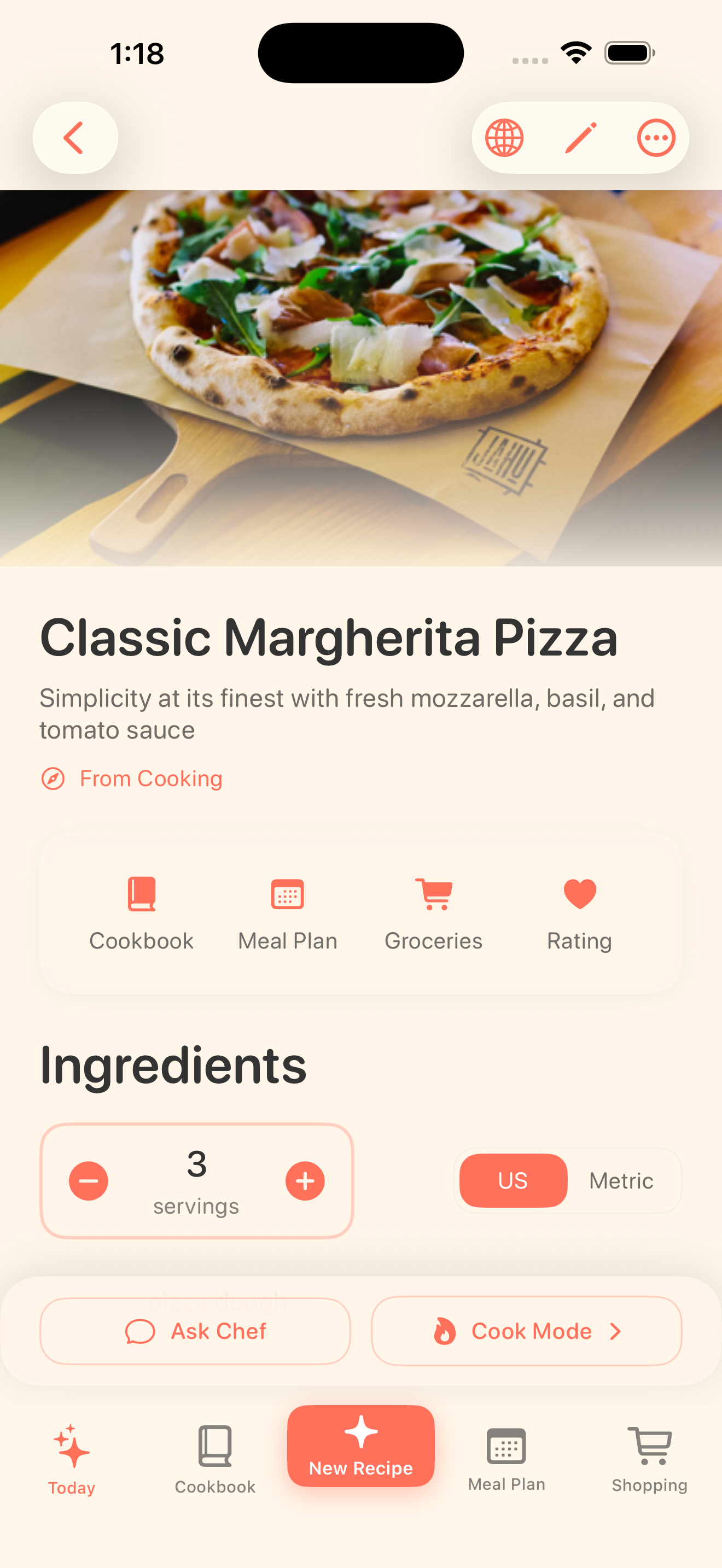
Bytful recipe detail screen showing a saved recipe organized into a clean recipe card.

Save from

Posts, links, photos

Review into

Clean recipe cards

Use for

Plan, shop, cook

Capture first

A recipe saver should handle the places recipes actually live.

Recipe ideas do not arrive neatly in one folder. They show up in social saves, recipe blogs, screenshots, cookbook photos, notes, and copied text. Bytful gives those ideas one iPhone workflow instead of another pile of loose saves.

  • Save supported recipe posts and videos
  • Paste website links and recipe text
  • Scan readable photos, screenshots, and notes

Review before cooking

Turn the saved idea into a recipe you can trust enough to use.

Bytful helps structure saved sources into recipe cards with ingredients, steps, timing, and notes. You stay in control by reviewing the card before planning, shopping, or cooking from it.

  • Check quantities and steps before saving
  • Keep recipes searchable in your cookbook
  • Send keepers into meal planning and grocery lists

How it works

From recipe idea to dinner plan.

1

Save the source

Share, paste, type, or scan the recipe source that has enough detail to review.

2

Review the card

Check the draft recipe title, ingredients, quantities, timing, steps, servings, and notes.

3

Cook from your cookbook

Organize the keeper, add it to a meal plan, build a grocery list, or open Cooking Mode.

Questions

What people ask before downloading.

What can I save into Bytful?

Bytful can help save recipes from supported social posts, websites, readable photos, screenshots, notes, and pasted text. Review the recipe card before relying on it.

Is Bytful only for social recipes?

No. Social recipe saving is a major use case, but Bytful also supports recipes from websites, photos, screenshots, notes, and text.

What happens after I save a recipe?

You can keep it in your cookbook, use it in a meal plan, build an aisle-sorted grocery list from planned recipes, and cook from guided steps.

7-day Pro trial

Start with Bytful Free, then unlock the full workflow.

Free gives you room to save your first recipes. Pro adds unlimited saves, Smart Plan, grocery lists, and hands-free Chef Byte help for weekly cooking.