Recipe scanner app

Scan recipe photos into recipe cards on iPhone.

Bytful helps turn readable recipe photos, cookbook pages, screenshots, and notes into structured recipe cards you can review before saving to your cookbook.

Start free with up to 7 saved recipes. Eligible subscribers can try Bytful Pro free for 7 days.

Recipe scanner appRecipe OCR appPhoto to recipe cardiPhone recipe scanner
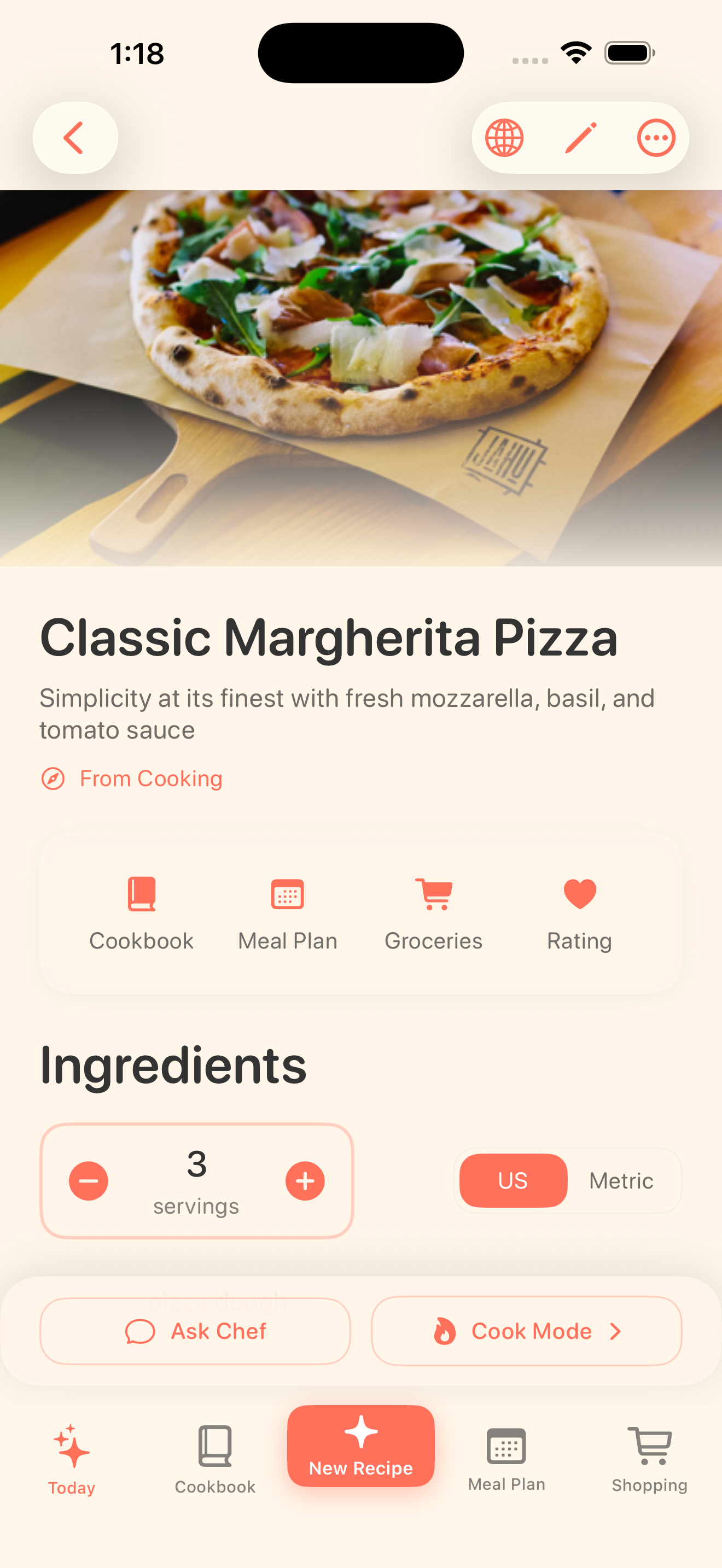
Bytful recipe detail screen showing a scanned recipe organized into a clean recipe card.

Scan from

Photos, pages, notes

Review as

Recipe cards

Use for

Plan, shop, cook

Photo to card

A scanner should make the recipe easier to cook from.

Camera roll photos and Notes text are useful for capture, but they are not a cooking workflow. Bytful helps scan readable recipe sources into draft cards with ingredients, steps, timing, and notes you can review.

  • Scan physical cookbook pages and printed recipes
  • Use readable handwritten cards and notes when OCR can parse them
  • Keep the original source nearby while you review the draft

After scanning

The recipe becomes part of dinner, not another loose image.

Once a scanned recipe is reviewed and saved, Bytful can keep it in your cookbook, add it to a meal plan, turn planned recipes into an aisle-sorted grocery list, and open it in Cooking Mode.

  • Organize scanned recipes in your cookbook
  • Plan meals from reviewed recipe cards
  • Shop and cook from the recipes you chose

How it works

From recipe idea to dinner plan.

1

Take a clear photo

Use good lighting, keep the page flat, and capture all ingredients, steps, timing, and serving details.

2

Review the draft

Bytful uses OCR to structure the recipe, but quantities, units, handwriting, and missing steps still need human review.

3

Save and use it

Add the reviewed card to your cookbook, then plan, shop, and cook from it when you are ready.

Questions

What people ask before downloading.

Can Bytful scan handwritten recipe cards?

Bytful can help scan readable handwritten recipe cards and notes. Handwriting quality varies, so review the draft carefully before saving or cooking from it.

Does recipe OCR work perfectly?

No. OCR is a helpful draft step, not a guarantee. Check quantities, units, steps, timing, serving size, substitutions, labels, and the original source before shopping or cooking.

What can I do after scanning a recipe?

You can keep the reviewed recipe in your Bytful cookbook, use it in a meal plan, build a grocery list from planned recipes, and cook from the saved card.

7-day Pro trial

Start with Bytful Free, then unlock the full workflow.

Free gives you room to save your first recipes. Pro adds unlimited saves, Smart Plan, grocery lists, and hands-free Chef Byte help for weekly cooking.