1
Save the recipes worth cooking
Share a supported social post, paste a recipe link, scan a photo, or add recipe text. Review the cleaned card before it becomes part of your cookbook.
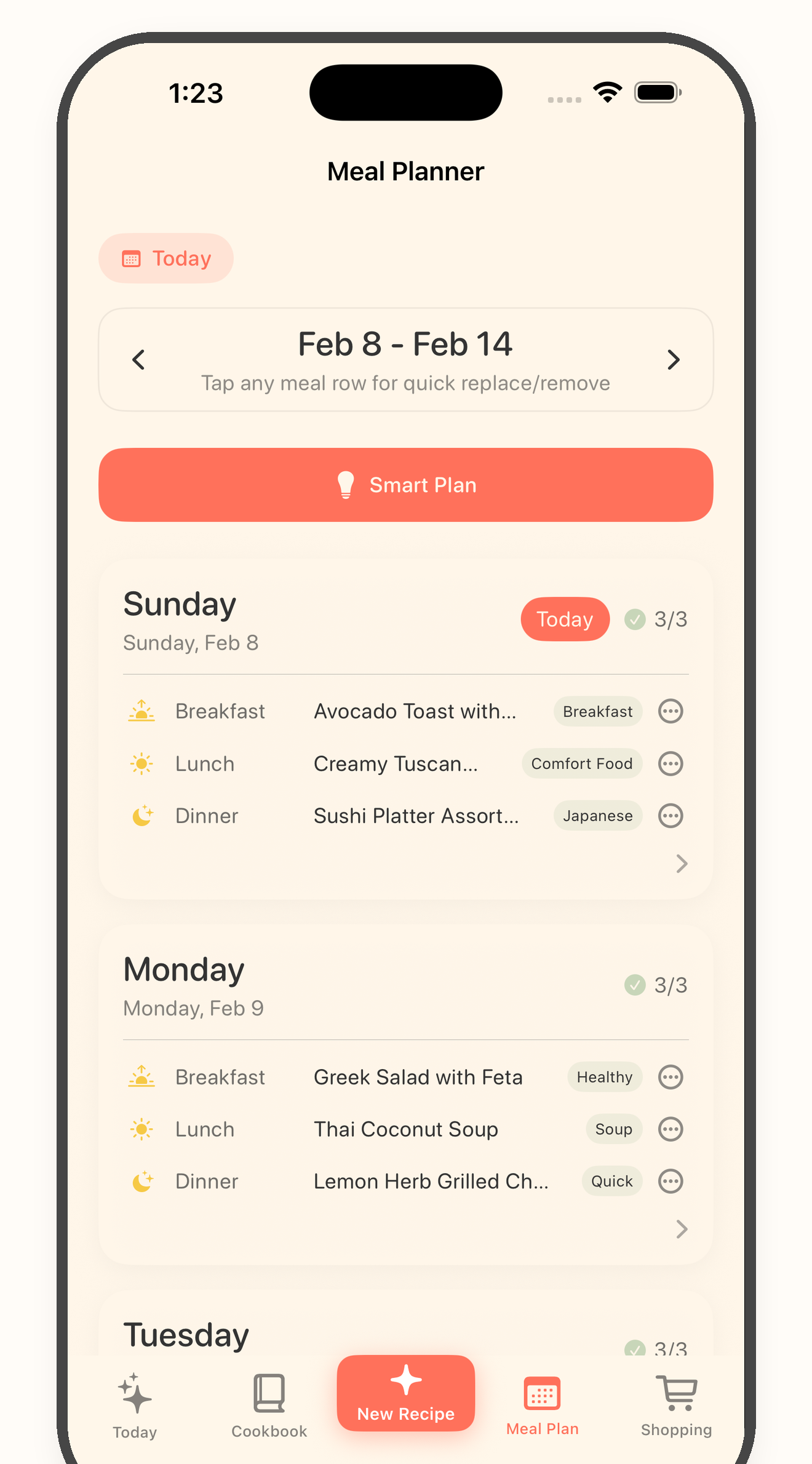
Meal planning from saved recipes
Bytful helps iPhone cooks move from scattered recipe ideas to a weekly plan by starting with recipes already saved in their cookbook.
Start free with up to 7 saved recipes. Eligible subscribers can try Bytful Pro free for 7 days.
How to save it
1
Share a supported social post, paste a recipe link, scan a photo, or add recipe text. Review the cleaned card before it becomes part of your cookbook.
2
Pick recipes you actually have time to make. A useful meal plan is smaller and clearer than a list of every recipe you saved.
3
Use Bytful to place saved recipes into your meal plan, then adjust the week before turning it into a shopping list.
4
Build a grocery list from planned recipes, then open the recipe in Cooking Mode when it is time to cook.
Start with intent
Most meal planning gets stuck because the week starts empty. Bytful lets your cookbook become the menu, so the plan starts from recipes you already chose.
Keep it realistic
A recipe inbox can grow quickly. The useful habit is choosing a few recipes for the week, then letting the rest stay in the cookbook for later.
Next step
Once recipes are planned, Bytful helps turn ingredients into a grocery list so the plan is ready for the store and the kitchen.
Questions
Yes. After a supported social recipe is saved into Bytful and reviewed, it can live in your cookbook and be used in meal planning.
Bytful is designed to turn planned recipes into an organized grocery list, so shopping follows the meals you chose for the week.
No. Keep your cookbook as the recipe library and use the meal plan for recipes you actually intend to cook soon.
Related Bytful pages
Try one recipe first